
How to use your guest passes
There is nothing more we want than to have you bring in a guest!
This includes ANYONE. Your mom, dad, or brother in law that talks about how he can lift more than you…
I’m sure we can all think of someone.
STEP 1 - Open your booking app
We use WellnessLiving as our booking platform.
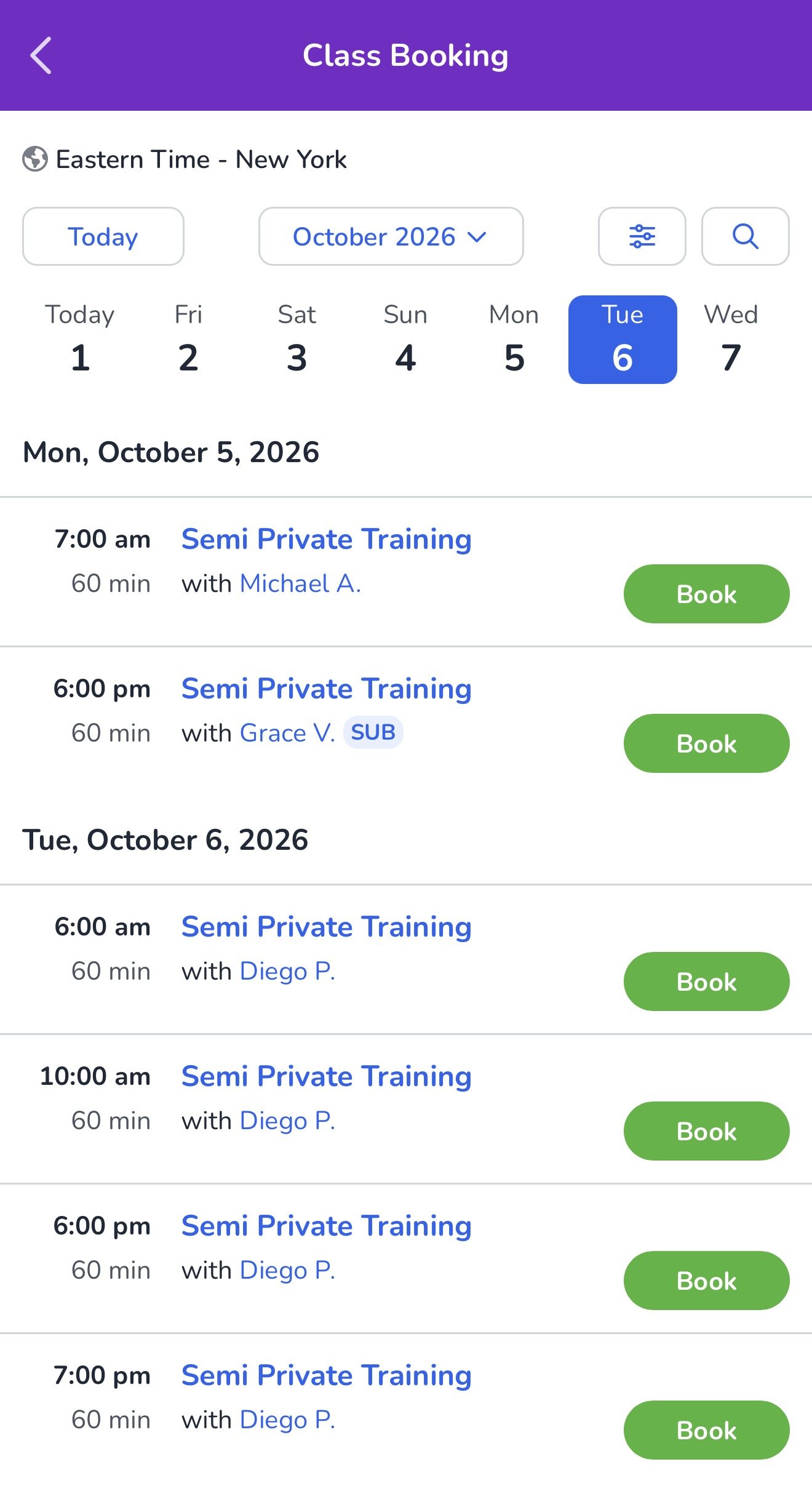
STEP 2 - Follow usual booking flow
Book your session as usual! This means selecting SEMI-PRIVATE TRAINING as the service and then select your preferred date and time.
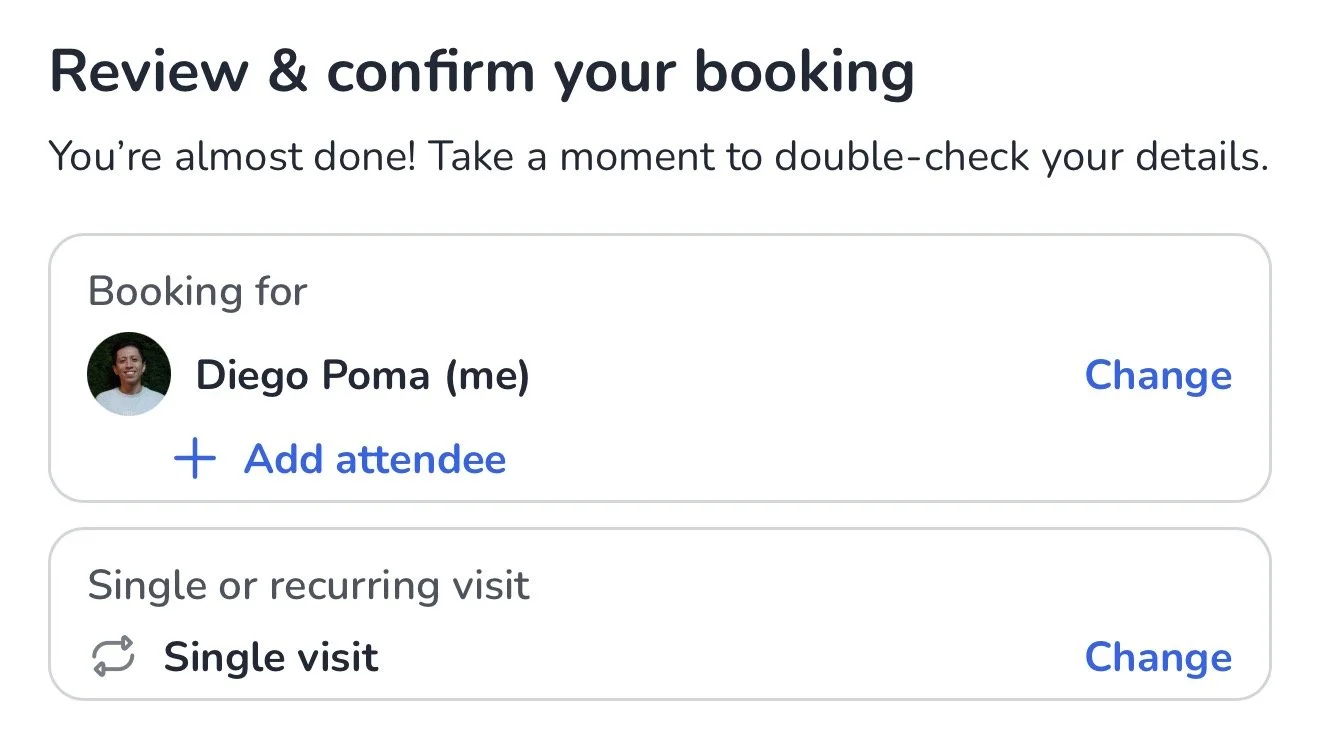
Step 3 - Add Attendee
Select the “add attendee” button below your name and you’ll be brought to the next page on the app.
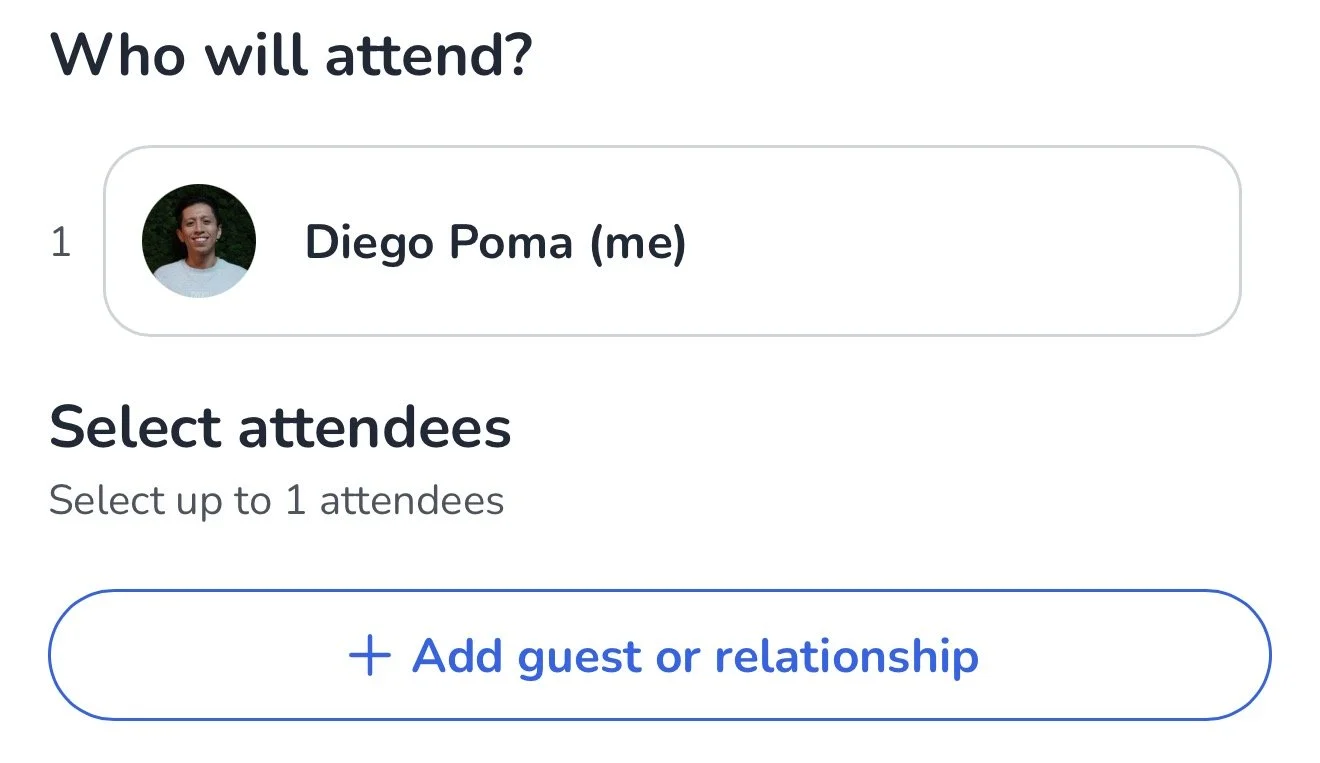
Step 4 - Select “Add Guests or relationships
Select the large button and you’ll be able to add guest info!
Not sure why they added this step in the app. I think it could be better…
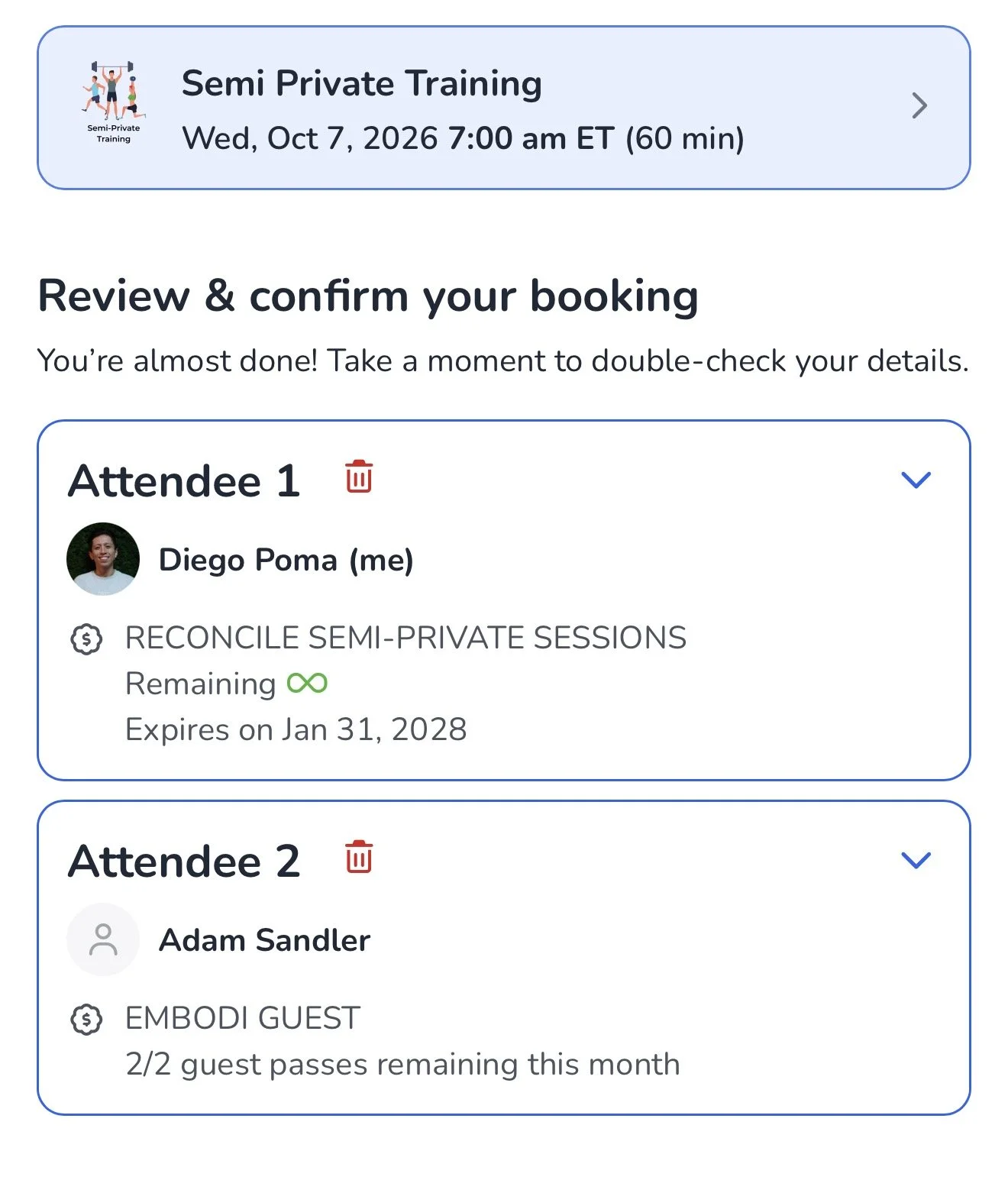
Step 5 - Confirm guest and overall booking info
Make sure everything about your booking is correct and finally press confirm!
BOOM. You and your guest are booked.
Training is always fun at EMBODI but it makes it even more enjoyable sharing it with people we care about!